Key takeaways
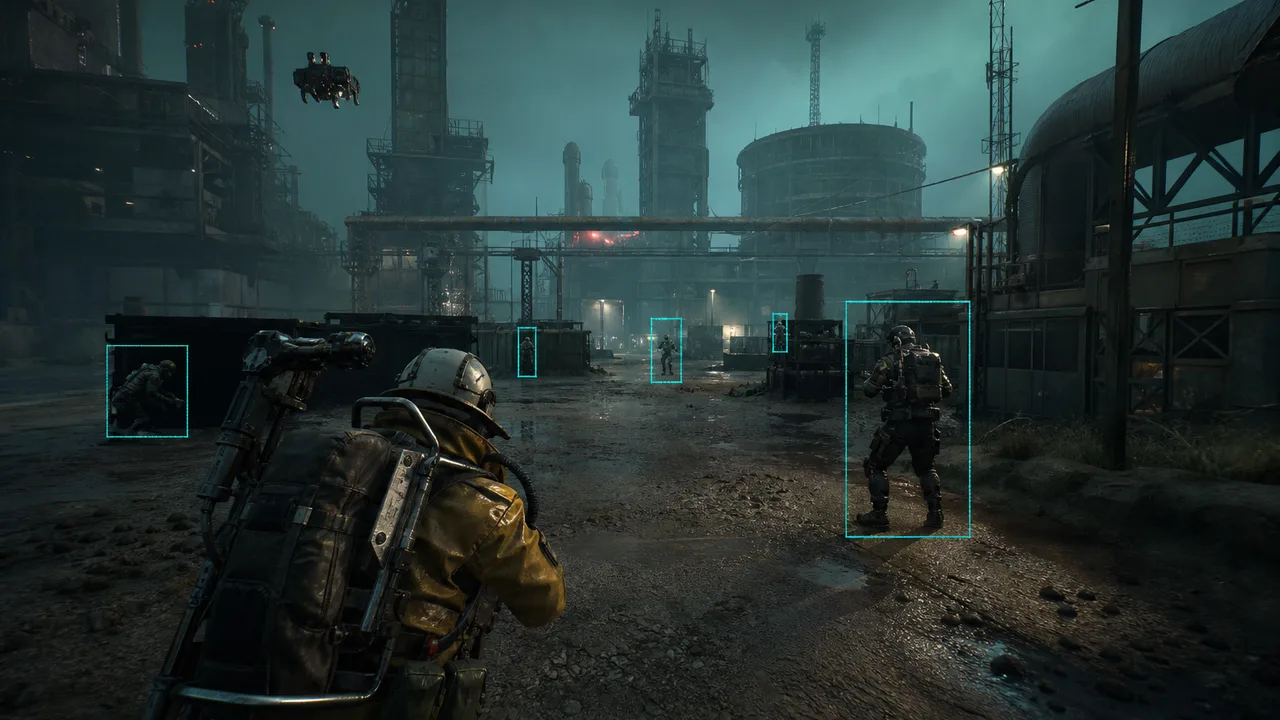
- Player ESP should answer who, how far, and which direction — not flood your screen
- Box style and distance limits matter more than enabling every overlay category
- Xray covers core ESP for most solo farming; upgrade when fights get heavier
- Rebuild configs after major patches instead of copying old Season 1 presets
Player ESP is the feature most Arc Raiders users enable first — and the one most players misconfigure within the first hour. In an extraction shooter where a single unseen push can cost your entire loadout, seeing raiders before they see you is not a luxury. It is the baseline for making informed rotations, choosing safer loot routes, and deciding when to fight versus when to disengage.
The problem is not whether ESP works. The problem is whether your ESP setup actually helps you read the raid. Bloated overlays, unreadable boxes, and distance spam create noise that slows decisions instead of improving them. This guide focuses on the player-facing ESP stack — boxes, distance readouts, health context, and readability — with practical settings for current Season 1 raid flow and notes on how the Xray tier fits as a starting point before you move into heavier combat tooling.
What Player ESP Should Tell You in Arc Raiders
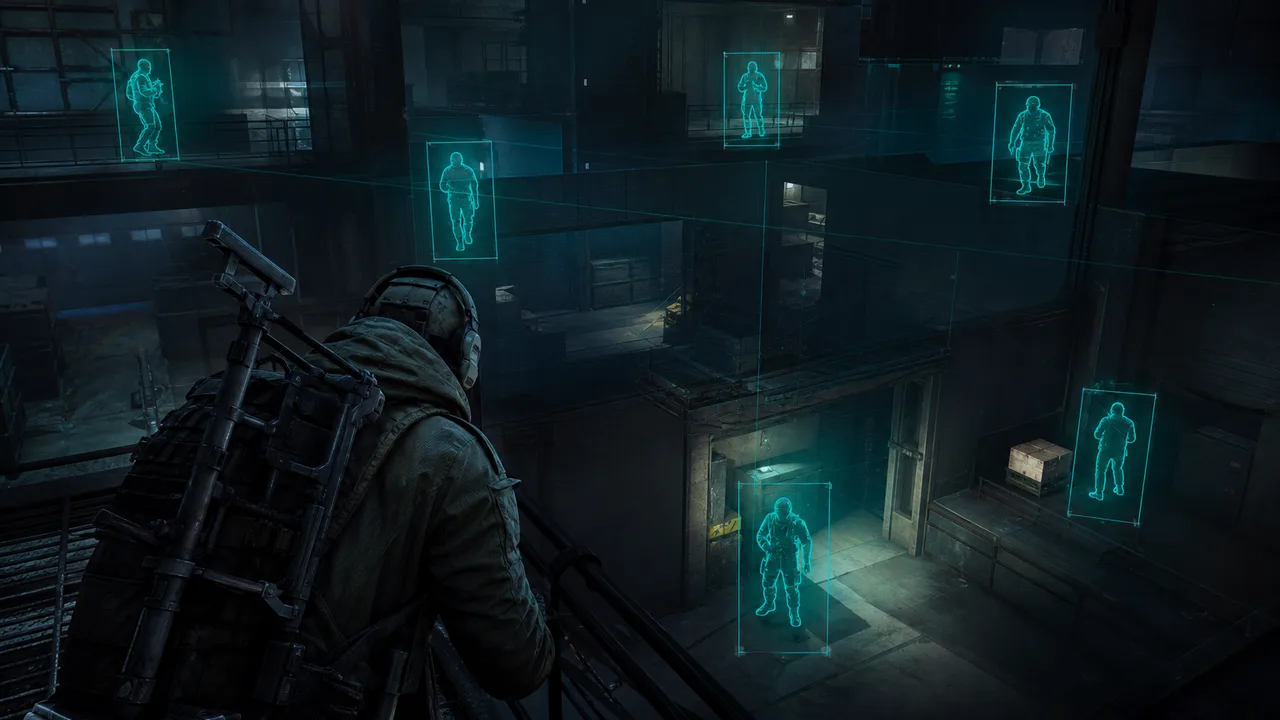
Good player ESP answers three questions fast: who is nearby, how far away they are, and whether they are a real threat right now. Everything else is secondary. Arc Raiders mixes PvP pressure with ARC drone swarms and timed extractions, so your overlay needs to prioritize human raiders during contested zones and stay quiet during farming segments.
At minimum, a usable player ESP stack includes:
- Raider box ESP — bounding boxes or corner boxes around enemy players
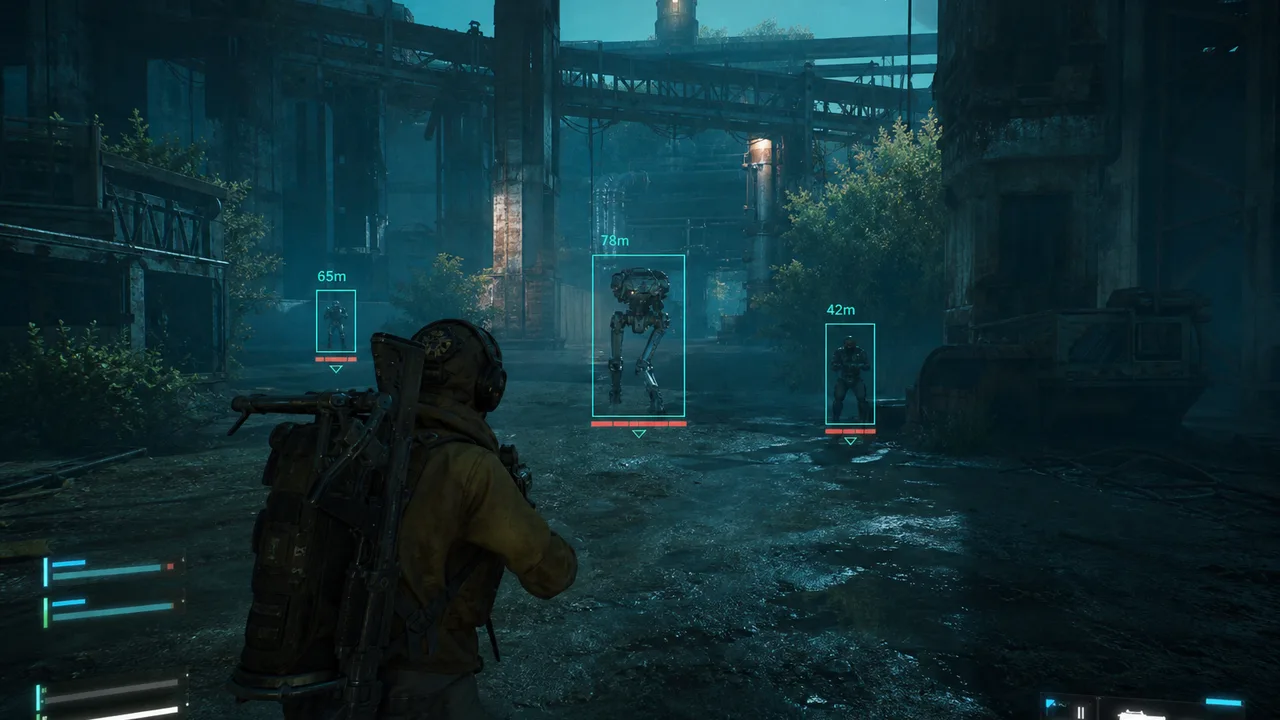
- Distance readout — numeric or color-coded range so you know if a fight is immediate
- Health bar ESP — optional but valuable for deciding whether to push a wounded target
- Name or team context — helpful in squad play when callouts need to match what you see
What you do not need on day one: skeleton overlays on every entity, radar duplication, loot markers stacked on top of player boxes, and three different box styles running at once. Start with one readable box type, distance, and a sane render distance. Expand only when you can play an entire raid without staring at the overlay instead of the environment.
If you are new to the category entirely, read the broader Arc Raiders cheats guide first. It frames how ESP, aim tools, and setup discipline fit together across a full session — not just one feature toggle.
Box Styles — Square, Corner, 2D, and 3D
Most Arc Raiders ESP menus offer multiple box types. They are not equal in readability.
Corner boxes are usually the best default. They frame the target without blocking the center of the screen, which matters when you are tracking movement through rubble, stairwells, and industrial cover. Corner boxes also degrade more gracefully at range — you still get directional information even when the target is small on screen.
Full square boxes are easier to spot at a glance but can obscure weak points and head position during close fights. Use them if you struggle to track targets at medium range, then switch to corners once your game sense improves.
2D boxes project a flat rectangle on screen. They are lightweight and consistent for PvP tracking across open yards and crane decks. 3D boxes wrap the model in space and can help with elevation reads — useful when raiders hold upper walkways — but they clutter faster in tight indoor fights.
Color matters as much as shape. High-contrast outlines beat thick filled boxes. Assign one color to players and keep loot, ARC units, and extraction markers on separate palettes. When everything glows the same accent, your brain stops parsing priority — and in Arc Raiders, priority is the whole game.
Distance Readouts and Render Limits
Distance ESP is the feature that turns “someone is on my screen” into “I have twelve seconds before they crest the ridge.” Numeric distance is more precise than guessing from box size alone, especially when magnification, weather, and vertical offset distort visual cues.
Set max render distance intentionally:
- 80–120m for indoor industrial and bunker routes where fights happen immediately
- 150–200m for surface rotations where you need early third-party reads
- 250m+ only if you are actively holding long sightlines — sniper lanes, crane sightlines, elevated extract camps
Beyond those ranges, distant boxes become speculation. You cannot meaningfully engage a raider at 300 meters in most loadouts, but your eyes will still flick to the marker and away from the loot pile in front of you. That is how ESP hurts you — not by being detected, but by stealing attention during economy segments.
Pair distance limits with vertical awareness. Arc Raiders map design uses height constantly. A raider 40 meters away but one floor above you is a different threat than one 40 meters away on the same plane. Box ESP alone will not always communicate that. This is where complementary tools — 2D radar or light skeleton markers — earn their place without replacing your core player stack.
Readability — Thickness, Opacity, and Clutter Control
Readable ESP feels boring. That is the goal. Flashy overlays look great in screenshots and feel terrible after forty minutes of raiding.
Dial these settings before you touch advanced categories:
- Line thickness — thin enough that boxes do not merge when two players are close
- Opacity — high enough to see at a glance, low enough that cover and muzzle flashes remain visible
- Category toggles — players on, loot filtered, ARC drones only when farming PvE routes
- Font size on distance text — small but legible; oversized numbers block center-screen tracking
Test readability in both bright surface zones and dim interior corridors. Season patches occasionally shift post-processing — if outlines feel faint after an update, adjust contrast before assuming the feature broke.
Pairing ESP With the Xray Tier
Not every player needs the full combat stack on day one. Xray is positioned as the entry tier for a reason: it delivers the core awareness package — raider boxes, distance, health bars, skeleton markers, head markers, loot value ESP, and smooth targeting support — without dumping every automation option into your first session.
That pairing makes sense for players whose primary pain point is information, not mechanical aim. If you die because you never saw the third party, Xray-class ESP fixes the actual failure point. If you die because you saw them and still lost the trade, you may eventually want Pro for aim assist and trigger tooling — but ESP fundamentals still come first.
A practical progression:
-
Week one — corner boxes, distance, loot value filter, render limits
-
Week two — add health bars and head markers for cleaner duel reads
-
Contested PvP — evaluate Pro if awareness is no longer your bottleneck
-
Hardware-sensitive setups — consider Cloud DMA only when you understand your local risk profile, not because it sounds premium on a feature list
Xray is focused ESP, not lesser ESP. The Xray tier review covers what that includes after recent patches.
Patch-Aware Habits — Rebuild, Do Not Copy
Arc Raiders is a live extraction shooter. Map pools, weapon balance, and anti-cheat posture shift across seasons. ESP menus stay structurally similar, but what you need to see changes with the meta.
After a major patch:
- Reset render distances — new sightlines and POI popularity change where fights actually happen
- Re-test indoor vs outdoor contrast — lighting tweaks are common in seasonal updates
- Revisit loot ESP overlap — economy shifts change which containers deserve screen space; see the loot ESP guide for filtering logic
- Avoid importing old configs from Discord pins labeled “undetected” — stale presets are how players turn clean tools into noisy messes
Common ESP Mistakes in Extraction Shooters
Mistake: treating ESP as autopilot. ESP tells you where to look — not whether to fight.
Mistake: max render on everything. You will track players you cannot engage while missing the raider holding your extract lane.
Mistake: chasing skeleton and radar before boxes work. Advanced markers help only when base player ESP is already readable. Pair setup hygiene with the HWID spoofer and spoofer guide if you are rebuilding after a restriction.
Putting It Together for Your Next Raid
Walk into your next session with one goal: read the raid faster without staring at the overlay. Enable corner boxes, distance, and filtered loot. Cap player render distance to where you can actually take a fight. Run two raids like that — one solo farm, one contested route — and note where your eyes still miss threats.
If boxes and distance solve most deaths, stay on Xray and refine. If you consistently see threats but lose trades anyway, ESP has done its job; combat tooling is the next lever. If you still feel blind, add radar or skeleton layers incrementally rather than all at once.
Player ESP is not about seeing the entire map. It is about seeing the right players early enough to extract with your loot. In Arc Raiders, that is the whole point.